> For the complete documentation index, see [llms.txt](https://docs.luminite.app/llms.txt). Markdown versions of documentation pages are available by appending `.md` to page URLs; this page is available as [Markdown](https://docs.luminite.app/tutorials/lend-and-borrow-with-kinetic-market.md).
# Lend & Borrow with Kinetic Market
## **About** **Kinetic Market:**
Kinetic Market lets users supply (lend) assets to earn APY and borrow against supplied collateral. Now you can simply lend and borrow with Kinetic via Luminite Wallet.
### How to Lend (Supply) using Kinetic Market
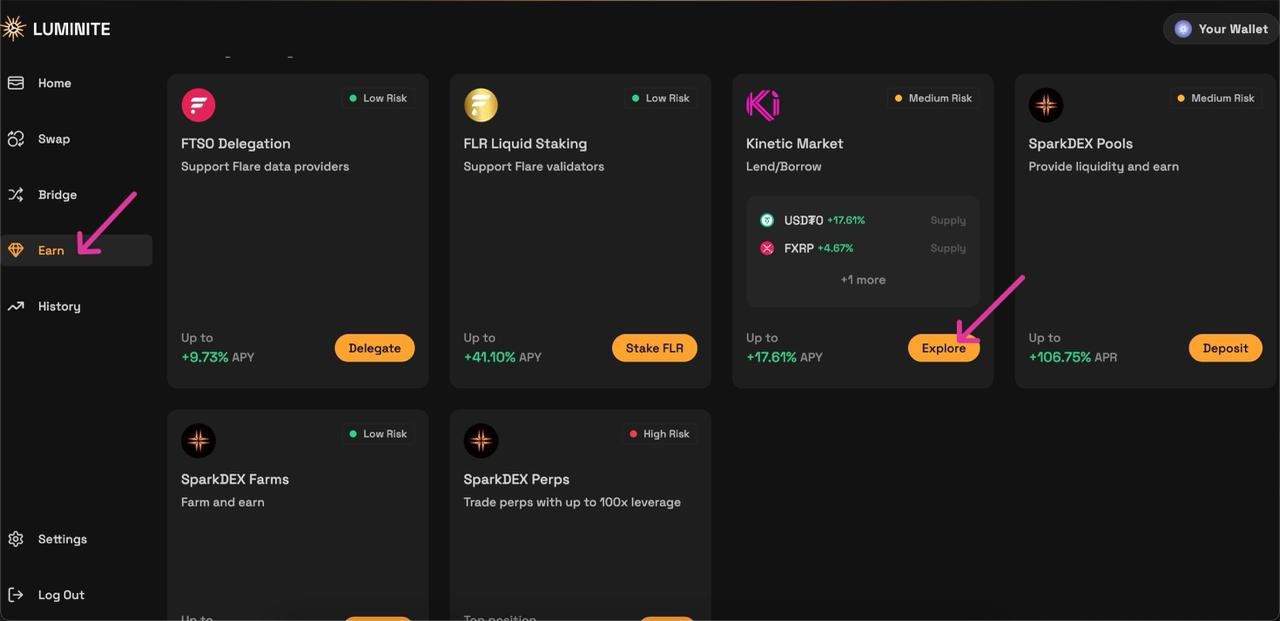
1\. Open the Earn section
* Navigate to 'Earn' from the main menu on\
Locate Kinetic Market and click 'Explore'.\
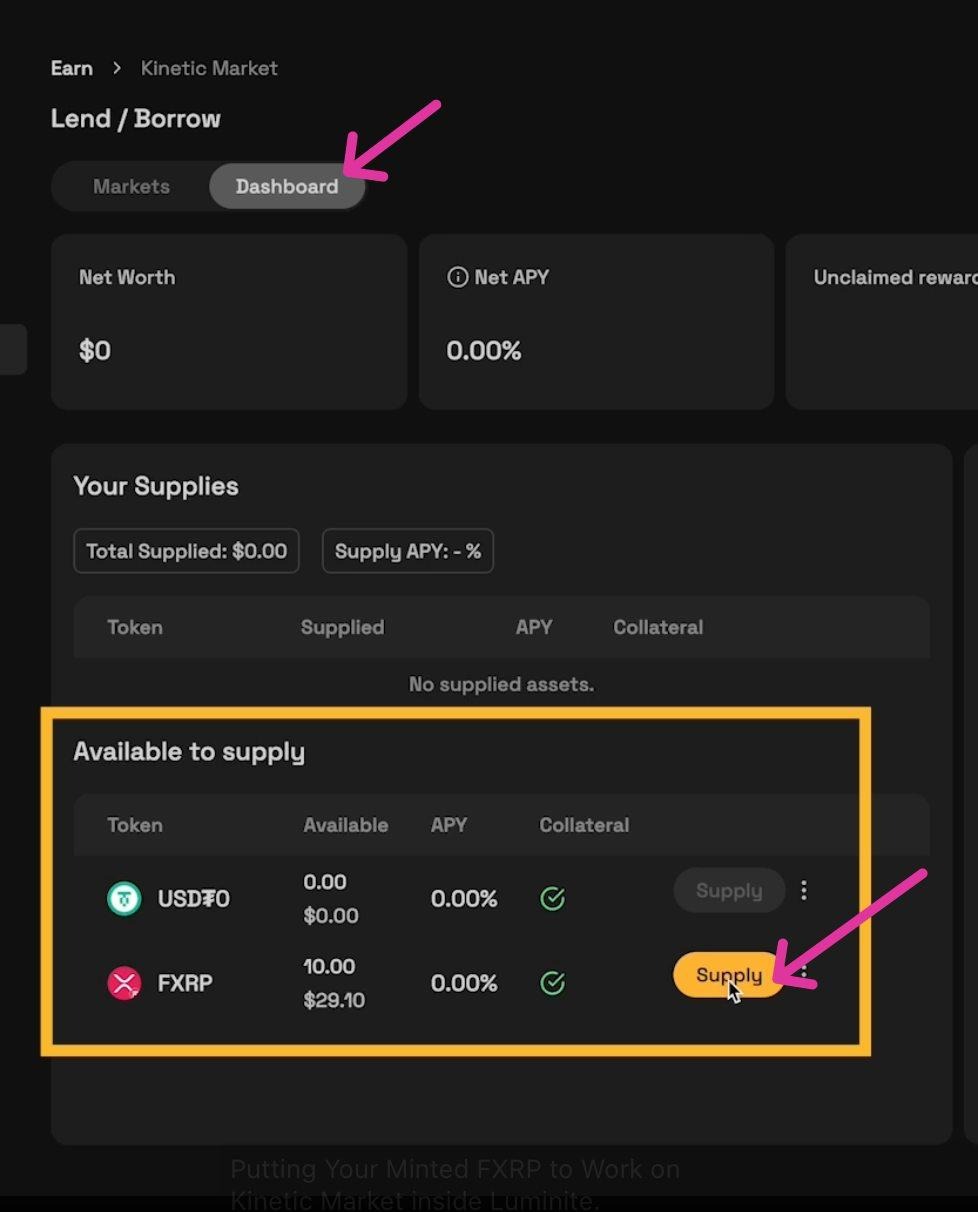
2\. Choose asset
* In the Dashboard section, find the asset you want to supply
* Click Supply on the asset’s card.
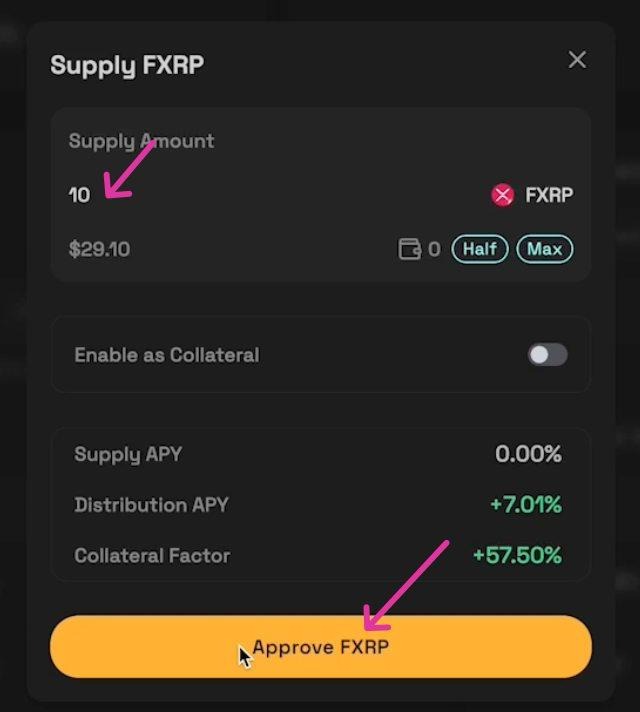
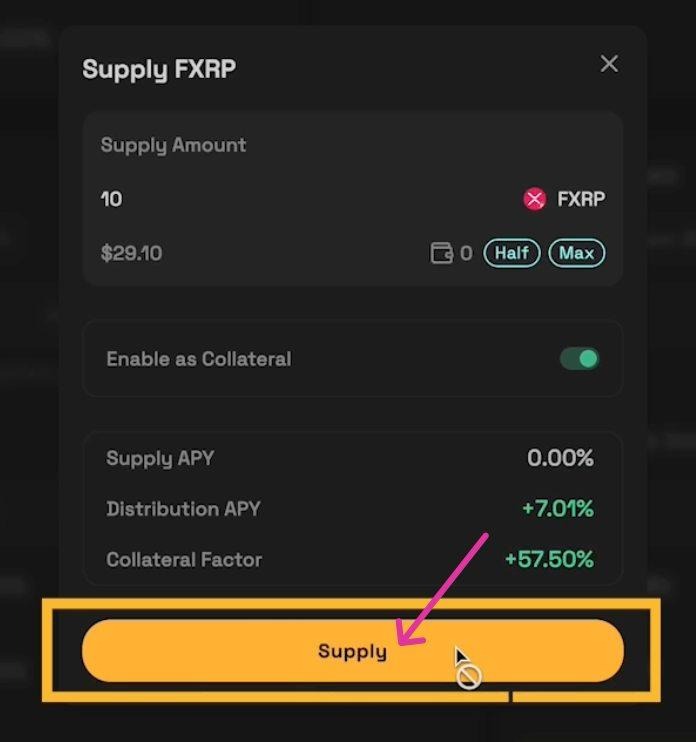
3\. Enter supply amount
* Type the amount you wish to supply.
* The interface will display: Supply APY, Distribution APY, and Collateral Factor. Review these carefully.
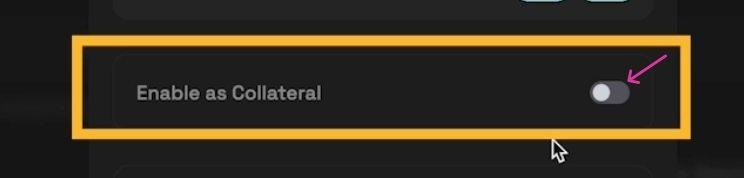
4\. Enable as collateral
* Toggle Enable as collateral ON if you plan to borrow against this supply. If you do not want it used as collateral, leave it OFF.
Note: Enabling as collateral increases your borrowing power but also exposes that supplied asset to liquidation risk if your borrowing position becomes undercollateralized.
5\. Supply
* Click Supply.
* Wait for the transaction to be mined/confirmed.
6\. Complete & Track Your Rewards
A success notification will appear in the top‑right corner once the transaction completes.
* Your supplied balance will now show in the Dashboard
* Rewards update in real-time
* Remember to claim your rewards
**Tips & checks**
* If the supplied asset requires an approval transaction, you may see an initial Approve step before the Supply — confirm that first.
* Check the Collateral Factor (CF) to understand how much you can borrow against this asset (e.g., CF 75% means 75% loan-to-value for that asset).
### How to Borrow using Kinetic Market
Prerequisite: You must have supplied assets with '**Enable as collateral'** switched ON.
1\. Go to[ https://www.luminite.app/kinetic](https://www.luminite.app/kinetic)
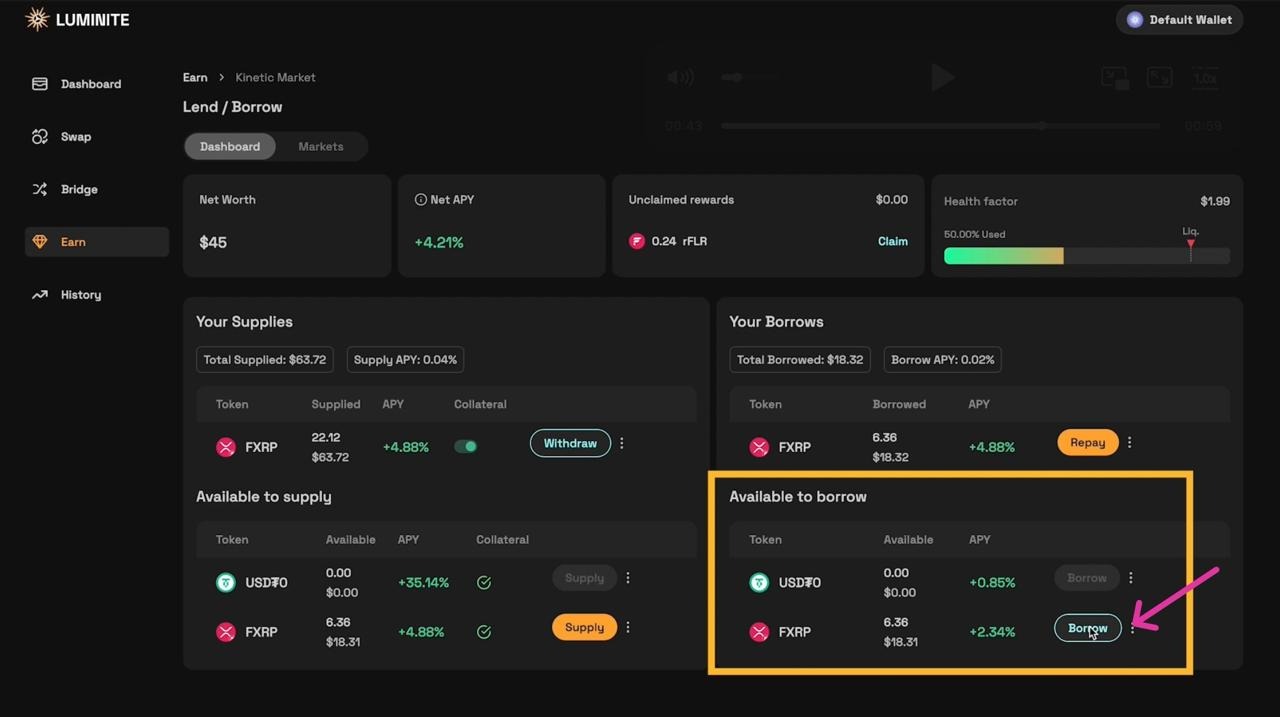
2\. Choose asset to borrow
* On the Dashboard, select the asset you want to borrow.
Click Borrow on that asset’s card.
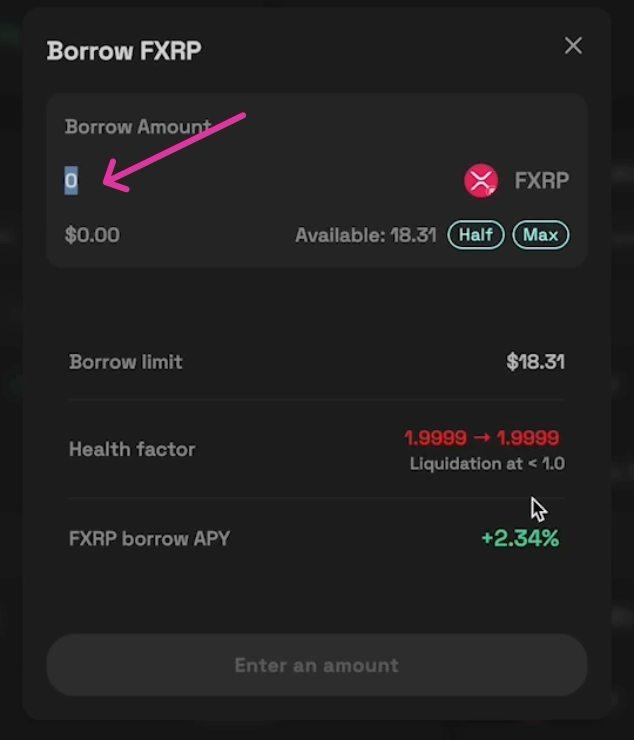
3\. Enter borrow amount
* Enter the amount you want to borrow. Note the UI shows your available borrow limit based on your collateral.
Note: The maximum borrow amount equals the borrowing power provided by your collateral - it may be lower than your supplied amount depending on collateral factors and existing borrows.
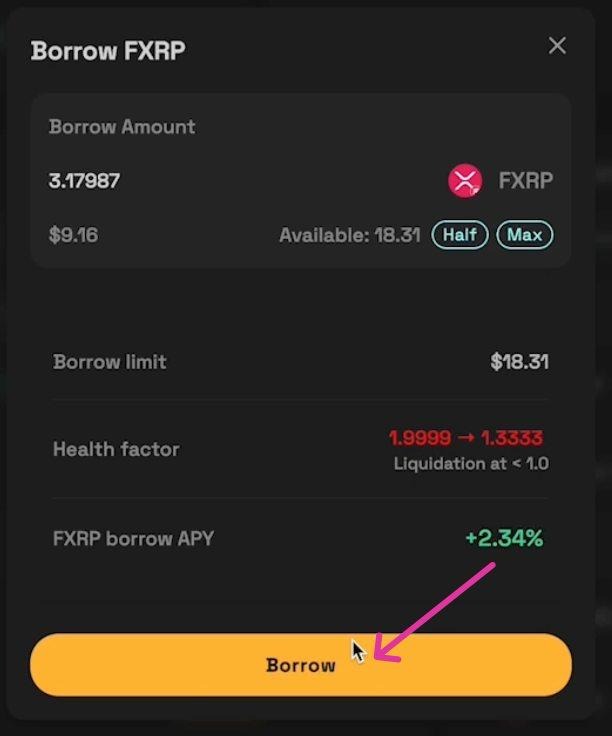
4\. Click 'Borrow' and confirm the transaction in your wallet.
Wait for the transaction to process.
5\. Complete the Transaction
A success notification will appear in the top‑right corner once the borrow transaction completes.
* Your borrowed balance and outstanding debt will be visible in the Dashboard.
**Notes & warnings**
* Borrowing increases liquidation risk. Monitor your Health Factor regularly.
* Interest accrues on borrowed assets - check the Borrow APY